Instant
01 · Ask
Ask the AI a follow-up
Got more questions about media System Troubleshooting? Describe the bit you're unsure about — the AI explains options, sequencing and what to ask the home automation.

AV system fault — TV, audio, streaming or smart-home pairing — diagnosed and fixed on-site.
You've read the brief on media System Troubleshooting. Now lean on us to find the right home automation — and stay in control of the job.
Got more questions about media System Troubleshooting? Describe the bit you're unsure about — the AI explains options, sequencing and what to ask the home automation.
Costs, timelines, pitfalls and the right questions to ask before any home automation starts on media System Troubleshooting.
Itemised quotes from up to 3 local home automations on media System Troubleshooting — so you can compare like-for-like, not lump sums.
Ready when you are
Enter your postcode and get free quotes from local pros.
Four moves that separate a smooth job from a nightmare.
Older cables often struggle with 4K or 8K HDR signals, leading to flickering or black screens.
In many UK homes with thick brick walls, media systems suffer from "dropouts" unless a mesh network or hardwired Ethernet is used.
An automatic update on your TV can sometimes stop it from "talking" to an older amplifier.
Media components tucked away in unventilated cupboards will eventually fail or throttle their performance.
Indicative UK ranges and what affects price.
By job type
Quote spread is typically ± 18% — always get 3 quotes.
Home Automation quick-view
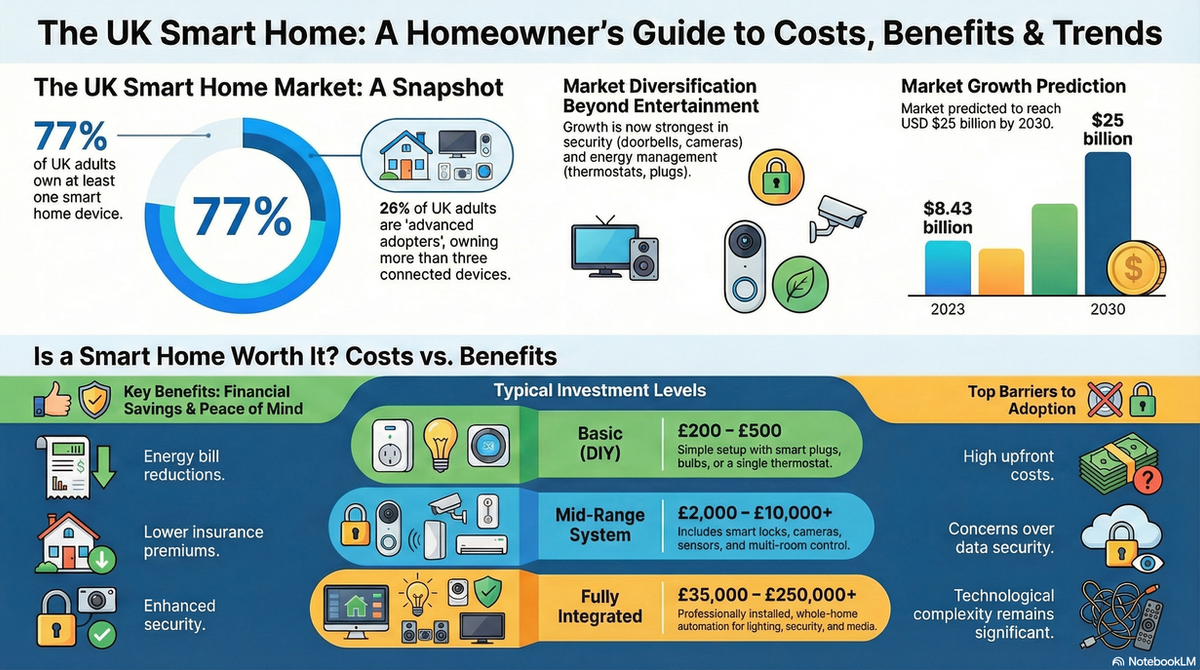
Home Automation explained
Professional troubleshooting goes beyond simply checking the plugs. It involves a systematic diagnostic process to identify whether the fault lies in the hardware, the cabling, the software, or your home network stability.
| Item | Low £ | High £ | Notes |
|---|---|---|---|
| Diagnostic Call-out | £95 | £155 | Includes the first 30-60 minutes of fault-finding. |
| Labour (per hour) | £65 | £110 | Complex systems (Control4/Lutron) command higher rates. |
| Replacement Cables | £25 | £85 | High-speed 48Gbps HDMI 2.1 cables or shielded Cat6a. |
| Small Hardware Fixes | £40 | £120 | Splitters, switches, or basic signal boosters. |
| Estimated Total | £185 | £370 | Standard residential troubleshooting visit. |
Pricing is primarily influenced by the complexity of your setup. A standalone TV and soundbar are much cheaper to diagnose than a rack-mounted multi-room system with integrated lighting and security.
Homeowners can often resolve basic issues by "power cycling" devices (turning them off at the wall for 60 seconds) or swapping out a suspected faulty HDMI cable. If your system is a simple plug-and-play setup, a DIY approach is the best first step.
However, you should call a professional if you have integrated "smart home" systems like Crestron, Control4, or Savant. These require specialist software to access the back-end programming. Any work involving permanent wall wiring or new power sockets must also comply with Part P of the UK Building Regulations.
Note: Attempting to "factory reset" an integrated system yourself can often wipe custom programming that costs hundreds of pounds to reinstate. Always check with your installer first.
This is usually due to "bandwidth bottleneck." Your HDMI cable may not be rated for the high data speeds required for 4K audio and video simultaneously. Upgrading to a certified Ultra High Speed (48Gbps) cable often fixes this.
While an electrician is great for power and basic wiring, they may lack the specific diagnostic tools for data signals, HDCP encryption issues, or software programming. An AV specialist is usually a better choice.
Rarely. It is usually a simple matter of re-pairing the Bluetooth/RF signal or updating the hub's firmware. A technician can often fix this in under an hour.
Yes, significantly. For 4K streaming (Netflix, Disney+), you need at least 25Mbps of consistent speed at the device itself. If your Wi-Fi is weak in the lounge, your media system will buffer or lower the resolution.
This occurs when two devices (like a Blu-ray player and a TV) fail to agree on the security protocol (HDCP). It results in a black screen. A professional can bypass this by adjusting settings or using a signal manager.
This guide was written with AI assistance and is intended for general information only. Prices are estimates based on UK averages and may vary by region. Always get at least three quotes and consult a qualified professional before starting any work.
Ask follow-ups in plain English. The AI explains options, sequencing and what to ask the home automation — so you walk in informed.
Modern UK homes are increasingly reliant on complex media systems, from integrated Sonos multi-room audio to bespoke 4K home cinemas and smart lighting. When th...
READ GUIDE →GuideA professionally installed surround sound system is the cornerstone of any high-quality home cinema experience. Whether you are looking for a standard 5.1 setup...
READ GUIDE →GuideModern visual display installation has evolved far beyond simply hanging a television on a wall. Whether you are installing a flush-mount Gallery OLED, a bespok...
READ GUIDE →GuideModern home entertainment has evolved far beyond simply plugging in a television. Audio and display integration focuses on creating a seamless, high-performance...
READ GUIDE →GuideWhen your smart home system fails, the inconvenience is immediate. From lights that won't turn on to security cameras that refuse to record, an automation outag...
READ GUIDE →GuideMaintaining a high-quality audio system is about more than just preserving sound clarity; it is about protecting a significant investment in your home’s enterta...
READ GUIDE →