Instant
01 · Ask
Ask the AI a follow-up
Got more questions about shop Fitting EPOS System? Describe the bit you're unsure about — the AI explains options, sequencing and what to ask the shop fitting.

Shop till + EPOS package — terminal, drawer, scanner, printer. Plus stock-system integration.
You've read the brief on shop Fitting EPOS System. Now lean on us to find the right shop fitting — and stay in control of the job.
Got more questions about shop Fitting EPOS System? Describe the bit you're unsure about — the AI explains options, sequencing and what to ask the shop fitting.
Costs, timelines, pitfalls and the right questions to ask before any shop fitting starts on shop Fitting EPOS System.
Itemised quotes from up to 3 local shop fittings on shop Fitting EPOS System — so you can compare like-for-like, not lump sums.
Ready when you are
Enter your postcode and get free quotes from local pros.
Four moves that separate a smooth job from a nightmare.
Relying on guest Wi-Fi instead of a dedicated, hardwired VLAN often causes payment terminals to drop out.
Exposed wires under the counter are easily kicked or snagged, leading to hardware damage.
Buying "cheap" printers or scanners online that do not communicate with your chosen EPOS software.
Failing to install an offline mode or a 4G failover router, meaning you can't take payments if the internet goes down.
Indicative UK ranges and what affects price.
By job type
Quote spread is typically ± 18% — always get 3 quotes.
Shop Fitting quick-view
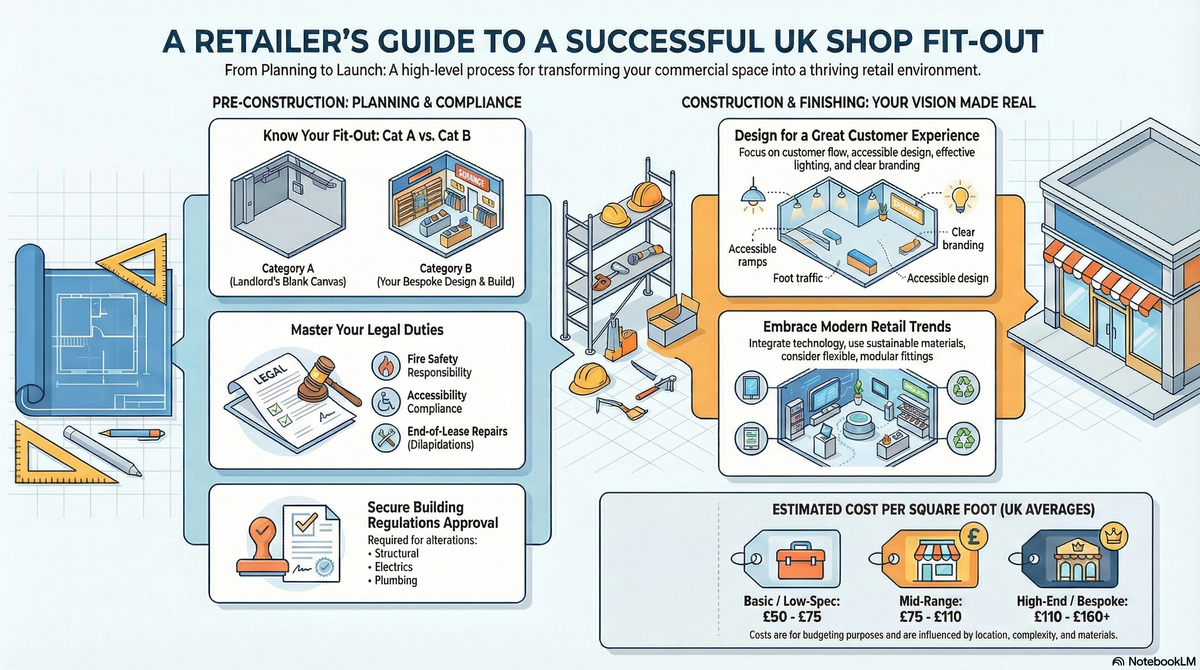
Shop Fitting explained
For UK business owners, a professional installation ensures your hardware is ergonomically placed, cables are concealed for safety, and the system is fully compliant with payment security standards. This guide covers the essential costs and considerations for a professional EPOS rollout.
| Item | Low £ | High £ | Notes |
|---|---|---|---|
| Basic Single-Till Setup (Hardware) | £800 | £1,500 | Entry-level terminal, printer, and drawer. |
| Professional Installation (Labour) | £350 | £750 | Per day rate for cabling and hardware setup. |
| Data Cabling (Per Point) | £90 | £150 | Cat6 installation including faceplates. |
| Software Subscription (Monthly) | £30 | £100 | Cloud-based SaaS fees per terminal. |
| Digital Signage Integration | £400 | £1,200 | Linking EPOS menus to digital display screens. |
Prices vary based on the complexity of your shop layout and the number of terminals required. Costs usually include VAT at 20%, but always confirm if your quote is "plus VAT" or "inc. VAT" when dealing with B2B contractors.
While many "plug-and-play" iPad systems exist, a professional installation is highly recommended for commercial environments. Improperly managed cables are a significant trip hazard and can lead to connection failures during peak trading hours.
Expert Tip: Professional installers will ensure your system meets PCI DSS compliance, protecting you from liability in the event of a data breach.
If your installation requires new power outlets, you must hire a qualified electrician to ensure work complies with Part P of the Building Regulations.
Questions to ask:
Yes, many modern systems are app-based. However, you will still need professional-grade stands, receipt printers, and a robust network to ensure it survives the rigours of daily commercial use.
A standard fibre broadband connection is usually sufficient, but we recommend a dedicated "Business" line with a 4G backup router to ensure you can always process card payments.
A POS (Point of Sale) is traditionally a simple cash register. An EPOS (Electronic Point of Sale) is a networked system that tracks stock levels, staff hours, and detailed sales analytics.
Most professional shop fitters include a 2-hour training session as part of the installation package. Ensure this is specified in your initial quote.
Most modern systems use a "Software as a Service" (SaaS) model, with monthly fees ranging from £30 to £100 per terminal for updates and cloud hosting.
This guide was written with AI assistance and is intended for general information only. Prices are estimates based on UK averages and may vary by region. Always get at least three quotes and consult a qualified professional before starting any work.
Ask follow-ups in plain English. The AI explains options, sequencing and what to ask the shop fitting — so you walk in informed.
For UK small business owners and those running retail or hospitality ventures from home, a reliable Point of Sale (PoS) system is the heartbeat of the operation...
READ GUIDE →GuideModern retail is no longer just about shelves and stock. To compete in the current UK market, a physical store must provide a seamless, tech-driven experience t...
READ GUIDE →GuideFor UK small business owners and retailers, an Electronic Point of Sale (EPOS) system is the heartbeat of the operation. Far more than a simple cash register, a...
READ GUIDE →GuideFor UK independent retailers and boutique owners, the transition from a traditional till to an integrated digital register is a pivotal step in modernising a bu...
READ GUIDE →GuideRetail shop fitting and refurbishment. UK costs.
READ GUIDE →GuideRestaurant fit-out cost. UK pricing.
READ GUIDE →