Instant
01 · Ask
Ask the AI a follow-up
Got more questions about camera installation? Describe the bit you're unsure about — the AI explains options, sequencing and what to ask the alarms & security.

CCTV cameras for the front, back and side — wired or Wi-Fi, with footage saved locally not in someone's cloud.
You've read the brief on camera installation. Now lean on us to find the right alarms & security — and stay in control of the job.
Got more questions about camera installation? Describe the bit you're unsure about — the AI explains options, sequencing and what to ask the alarms & security.
Costs, timelines, pitfalls and the right questions to ask before any alarms & security starts on camera installation.
Itemised quotes from up to 3 local alarms & securitys on camera installation — so you can compare like-for-like, not lump sums.
Ready when you are
Enter your postcode and get free quotes from local pros.
Four moves that separate a smooth job from a nightmare.
Infrared lights attract bugs, which can trigger false alarms; professional installers use "EXIR" technology to minimise this.
Placing a camera behind a glass window causes "IR bounce-back," resulting in a white blur; cameras should always be mounted externally.
High-resolution video requires strong upload speeds; a pro will install Wi-Fi extenders or use hardwired PoE to prevent signal dropouts.
Using cheap internal-grade cables for external runs leads to water ingress and signal loss within 12-24 months.
Indicative UK ranges and what affects price.
By job type
Quote spread is typically ± 18% — always get 3 quotes.
Alarms & Security quick-view
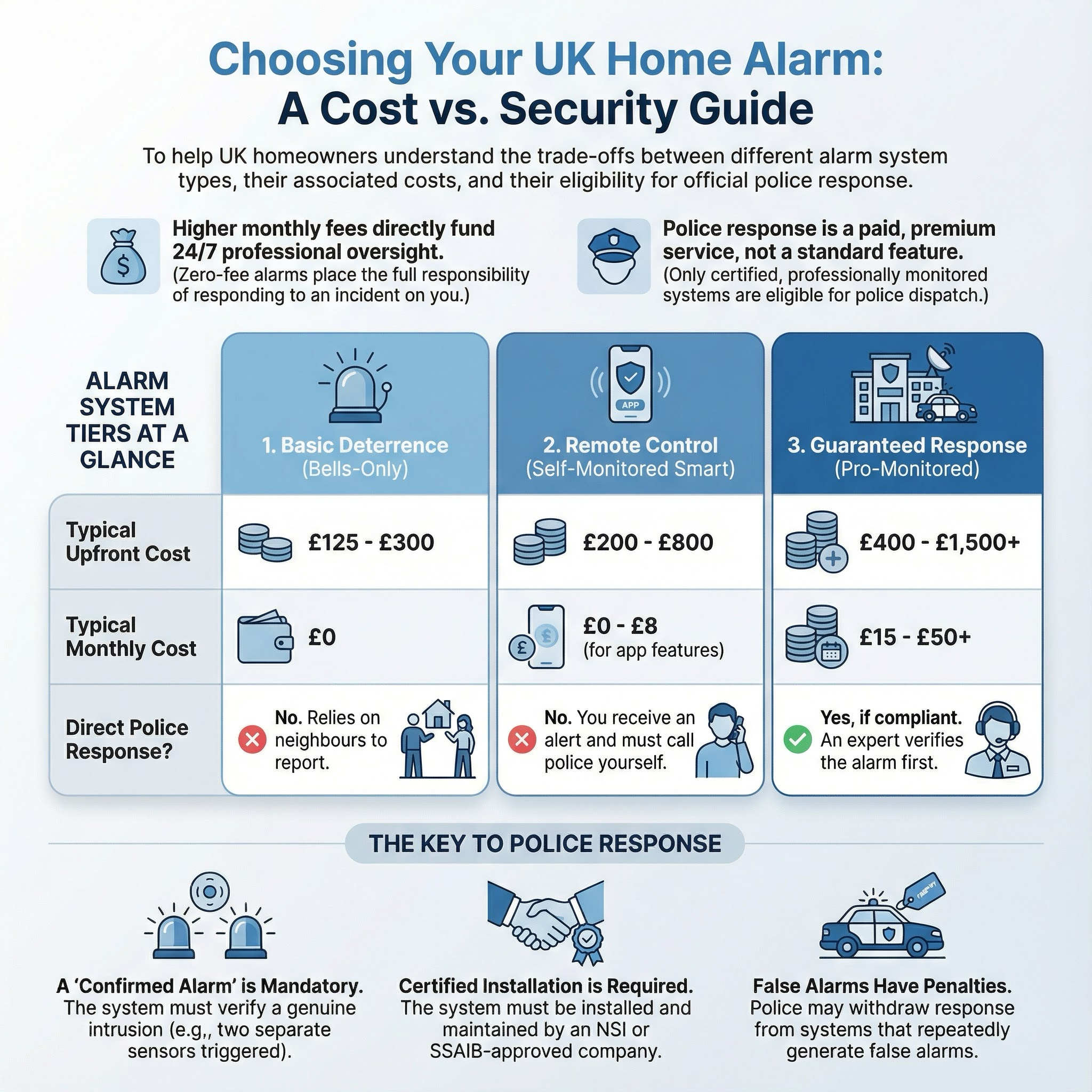
Alarms & Security explained
With the rise of smart home technology, the choice between wired Power over Ethernet (PoE) systems and wireless Wi-Fi cameras can be daunting. A professional installation ensures that your property has 100% coverage without "blind spots," while keeping cabling discreet and ensuring your system complies with UK privacy laws.
| Item | Low £ | High £ | Notes |
|---|---|---|---|
| Call-out / Initial Survey | £80 | £150 | Often deducted from the final bill if you proceed. |
| Labour (per hour) | £50 | £90 | Higher rates for London and accredited security firms. |
| Single Smart Camera (Supply & Fit) | £250 | £450 | Includes high-end Wi-Fi camera and professional mounting. |
| 4-Camera Wired 4K System | £800 | £1,500 | Includes NVR, 1TB+ storage, and full cable installation. |
| Annual Maintenance Contract | £100 | £250 | Includes lens cleaning, software updates, and health checks. |
Costs are primarily driven by the complexity of the cable runs and the quality of the hardware. While "off-the-shelf" kits are cheaper, professional-grade Hikvision or Dahua systems offer superior low-light performance and longevity, which reflects in the higher material cost.
Battery-powered "stick-up" cameras are well within the remit of a confident DIYer. However, for a permanent, reliable security solution, a professional installer is highly recommended. They possess the tools to drill through thick masonry safely and the expertise to secure your home network against hackers.
If your installation requires a new dedicated electrical circuit or a fused spur, this must be performed by a Part P qualified electrician to comply with UK Building Regulations.
In most cases, no. CCTV is usually considered "permitted development." However, if you live in a listed building or a conservation area, you should check with your local council before drilling into the facade.
Yes, if the cameras infringe on their privacy. Use the "Privacy Masking" feature in your camera settings to black out their windows or garden, and be prepared to show them the field of view to maintain good relations.
Wired NVR systems will continue to record locally to the hard drive even without internet. You only lose the ability to view live footage remotely on your phone until the connection is restored.
For a 4-camera 4K system, a 2TB hard drive typically provides about 7–10 days of continuous recording. If set to "motion-only" recording, this can extend to several months.
Professional NVR systems generally have no monthly fees. However, "smart" brands like Ring, Arlo, or Nest usually require a subscription (approx. £3–£10/month) to save and view recorded clips in the cloud.
This guide was written with AI assistance and is intended for general information only. Prices are estimates based on UK averages and may vary by region. Always get at least three quotes and consult a qualified professional before starting any work.
Ask follow-ups in plain English. The AI explains options, sequencing and what to ask the alarms & security — so you walk in informed.
Removing an old or obsolete alarm system is a common task for UK homeowners, especially when upgrading to smart technology or during home renovations. A redunda...
READ GUIDE →GuideFor UK homeowners who operate home-based workshops, laboratories, or studios involving hazardous chemicals, a functioning emergency eyewash station is a critica...
READ GUIDE →GuideElectric gates are a premium addition to any UK home, offering enhanced security, privacy, and significant kerb appeal. For many homeowners, the convenience of ...
READ GUIDE →GuideA malfunctioning CCTV system is more than just a technical glitch; it is a significant security gap that can leave your UK home vulnerable and potentially inval...
READ GUIDE →GuideWhen a burglar alarm triggers unexpectedly or shows a persistent fault code, it is more than just a noise nuisance. A malfunctioning security system leaves your...
READ GUIDE →GuideA functional gate is the first line of defence for your UK home, providing essential security, privacy, and kerb appeal. Whether it is a sagging timber side gat...
READ GUIDE →